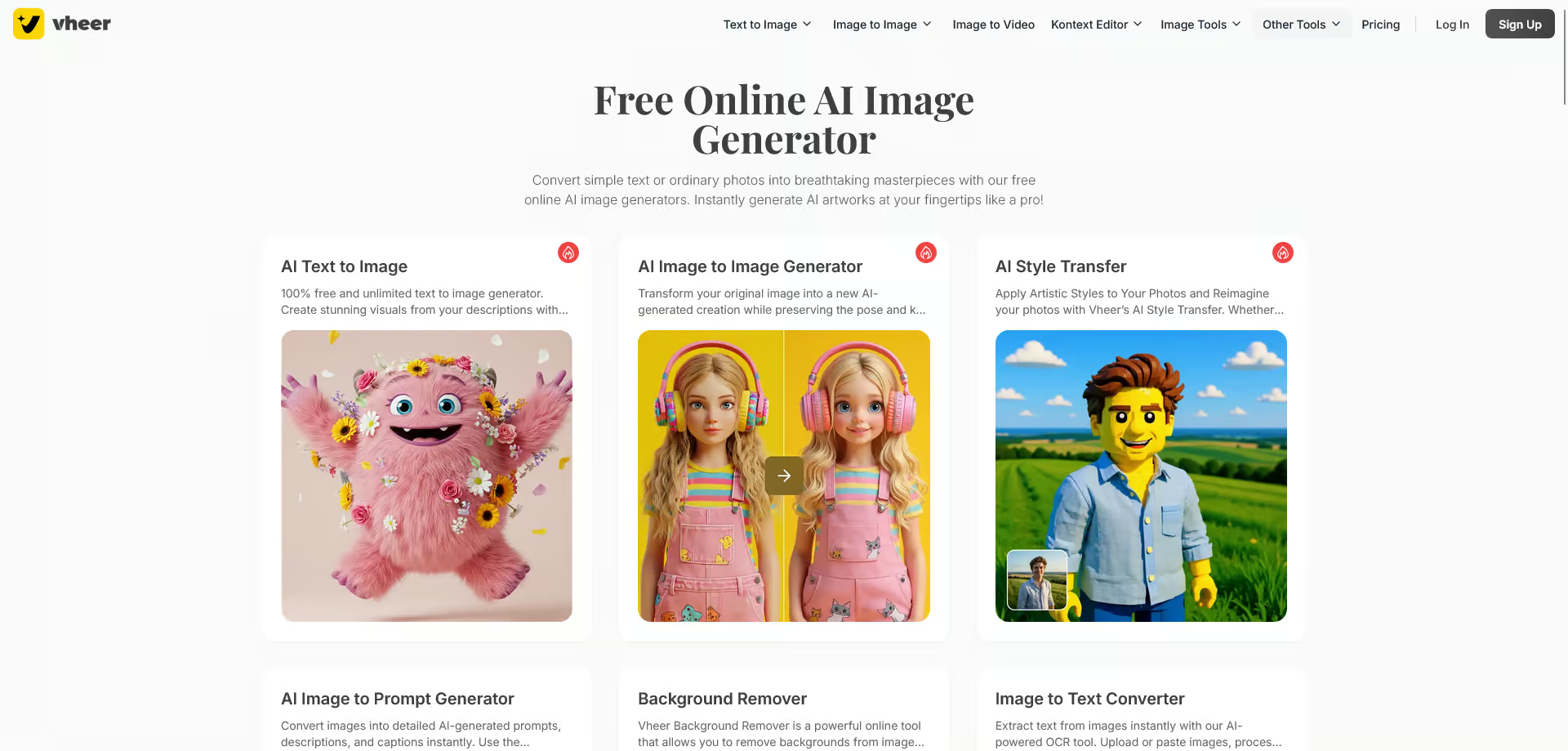
Artificial intelligence has transformed the way people create images, edit photos, and generate digital artwork. One of the newest AI-powered creative platforms gaining attention is Vheer AI. Whether you’re a graphic designer, content creator, marketer, student, or business owner, Vheer AI offers a simple way to create impressive visuals without advanced design skills.
This guide explains what Vheer AI is, how it works, its best features, benefits, limitations, and who should use it. By the end, you’ll understand whether Vheer AI is the right AI tool for your creative needs.
Table of Contents
- What is Vheer AI?
- How Vheer AI Works
- Key Features of Vheer AI
- Benefits of Using Vheer AI
- Who Can Use Vheer AI?
- Popular Use Cases
- Pros and Cons
- Frequently Asked Questions
- Conclusion
What Is Vheer AI?
Vheer AI is an AI-powered creative platform that helps users generate, edit, and enhance images using artificial intelligence. Instead of spending hours designing graphics manually, users simply enter a text prompt or upload an image, and the AI produces professional-looking results in seconds.
The platform is designed for beginners and professionals alike, making AI creativity accessible to everyone.
How Vheer AI Works
Using Vheer AI is straightforward:
- Visit the Vheer AI platform.
- Select the AI tool you want to use.
- Enter a text description or upload an image.
- Choose your preferred style or settings.
- Let AI generate the final result.
- Download or edit the generated image.
The entire process usually takes only a few moments.
Key Features of Vheer AI
1. AI Image Generator
Users can convert simple text prompts into high-quality digital artwork.
2. AI Photo Editing
Vheer AI can improve photos by removing unwanted objects, enhancing colors, sharpening details, and adjusting backgrounds.
3. AI Background Removal
With one click, users can remove image backgrounds for product photography, profile pictures, and marketing materials.
4. AI Portrait Generator
The platform can create realistic portraits and artistic avatars in various styles.
5. Image Enhancement
Low-quality images can be improved using AI upscaling and noise reduction tools.
6. Multiple Art Styles
Users can generate images in styles such as:
- Realistic
- Cartoon
- Anime
- Watercolor
- Oil painting
- Fantasy
- Digital art
Benefits of Using Vheer AI
Saves Time
Tasks that once required hours of editing can now be completed in minutes.
Beginner-Friendly
No graphic design experience is required.
Boosts Creativity
Users can quickly test different ideas without starting from scratch.
Affordable
Compared to hiring professional designers, AI tools often provide a cost-effective solution.
High-Quality Results
Modern AI algorithms create visually appealing images suitable for personal and professional use.
Who Can Use Vheer AI?
Vheer AI is suitable for many types of users, including:
- Graphic designers
- Digital artists
- Bloggers
- YouTubers
- Social media managers
- Small business owners
- Marketing agencies
- Students
- Teachers
- E-commerce sellers
Anyone who needs creative visuals can benefit from the platform.
Popular Use Cases
Social Media Content
Create eye-catching Instagram posts, Facebook banners, Pinterest graphics, and YouTube thumbnails.
Blog Images
Generate original illustrations for articles without relying on stock photos.
Marketing Materials
Produce promotional banners, advertisements, and product images quickly.
Product Photography
Improve product photos by removing backgrounds and enhancing image quality.
Personal Projects
Create wallpapers, avatars, digital art, invitations, and greeting cards using AI-generated designs.
Pros and Cons
Pros
- Easy to use
- Fast image generation
- Multiple AI tools in one platform
- Suitable for beginners
- High-quality outputs
- Saves editing time
Cons
- Some advanced features may require a paid plan.
- AI-generated images may occasionally need manual adjustments.
- Internet access is required for most features.